
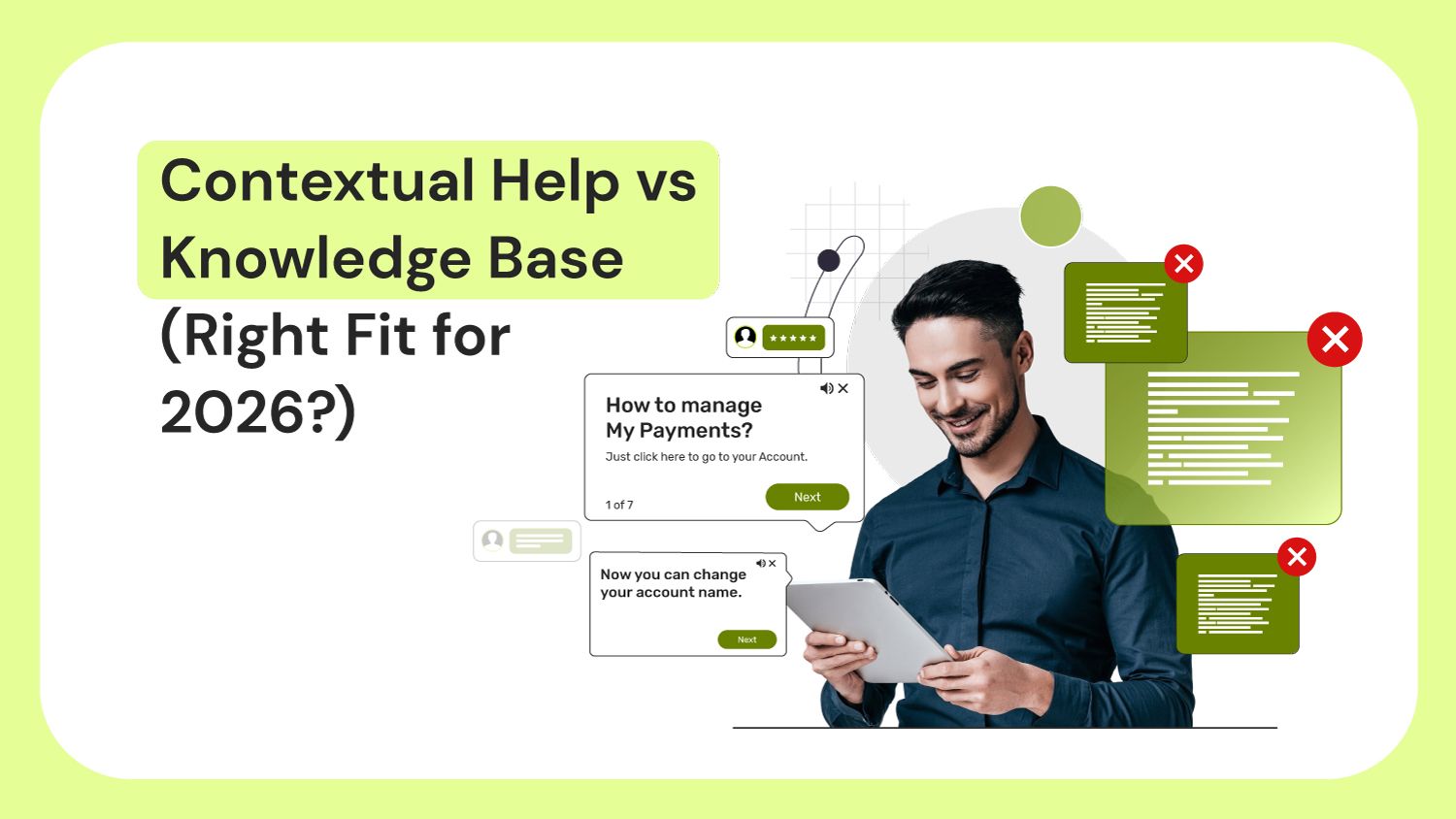
An end-user is stuck in a new CRM.
They pause, open separate tabs, search knowledge base articles, check CRM training docs, & also watch a 3-minute video.
Still, they don’t know what to do next. They’re confused and frustrated.
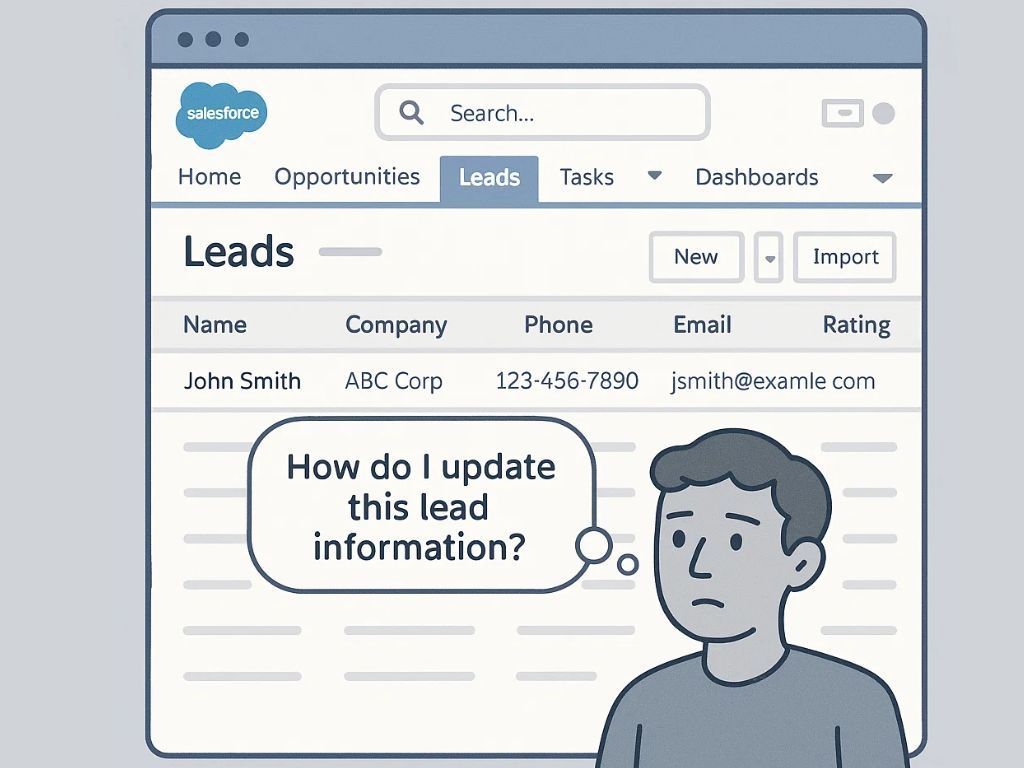
At this point, most L&D and change leaders pause to consider whether a knowledge base alone can support software end-users, or if contextual guidance offers a more efficient way to help them while they work.
So, we took our cue and compared knowledge base and contextual help head-on.
We'll help you understand (from a lens of user experience, personalization, and business outcomes) what actually helps your users move forward in 2026.
In this blog, you’ll see:
- What Is a Knowledge Base?
- Why Most Knowledge Bases Underperform?
- What Is Contextual Help?
- Why Contextual Help Matters For Your Users
- Quick Comparison: Knowledge Base vs. Contextual Help
- How To Offer Contextual Help to Users
- Proactive AI Agents: Automating Repetitive Tasks in the Flow of Work
- What to Use When: Knowledge Base vs. Contextual Help
- How Gyde Makes Contextual Help Feel Like Natural for Users and Teams
- FAQs
What Is a Knowledge Base?
A knowledge base is your company’s central library of information: policies, SOPs, onboarding guides, compliance docs, troubleshooting steps (everything in one searchable place). Knowledge bases are typically split into two types:
- Internal: built for employees. It supports training, process adoption, compliance, and helps new hires get up to speed faster. Teams rely on it for information they need throughout their daily workflow.
- External: built for customers. It hosts product guides, step-by-step help articles, FAQs, and solutions to common problems so users can self-serve instead of waiting for support.
Modern knowledge base software alternatives (like Notion, Confluence, Zendesk) are smart: they have great search, permissions, integrations with Slack and Teams, and sometimes even AI that suggests articles. They’re excellent at storing evergreen content that people might need to reference again and again.
With these tools you can build virtually anything:
- internal wikis, SOPs, and runbooks,
- full employee onboarding portals,
- department-specific hubs, decision logs,
- public-facing help centers with interactive video embeds,
- API documentation,
- partner enablement portals,
- release-note hubs,
- community-driven FAQs,
- audit-ready policy libraries
But here’s what we see happening in companies every day.
Why Most Internal Knowledge Bases Underperform?
The issue isn’t that internal knowledge bases have fallen behind technology. It’s that the goalposts have moved. They were designed as libraries for reference, not as co-pilots for moment-of-need performance inside complex applications.
Articles go out of date the moment the software updates (and nobody owns refreshing them). Also, most guides are too long and generic (not to-the point).
Finding the right article takes 3–5 minutes. Multiply that by 10 help requests a day and you’ve burned half a morning. According to McKinsey, employees spend 1.8 hours each day searching for and gathering internal information. That’s nearly 25% of employee's workday lost just trying to find answers.
Now add tools like Salesforce, SAP, Oracle, homegrown CRMs, and industry-specific systems. The more complex the software, the steeper the learning curve. And the harder it becomes to find the right help at the right moment. Hybrid teams, scattered processes, and constant updates only widen the gap.
Also, Harvard Business Review puts it bluntly: “Interruptions kill productivity.” Every time an employee switches tabs to search the KB, reads an article, interprets it, comes back, and tries again, they lose momentum. And once momentum breaks, performance drops.
Users don’t want to become expert searchers. They want to learn in the flow of work, finish the task and move on, without switching contexts.
What Is Contextual Help?
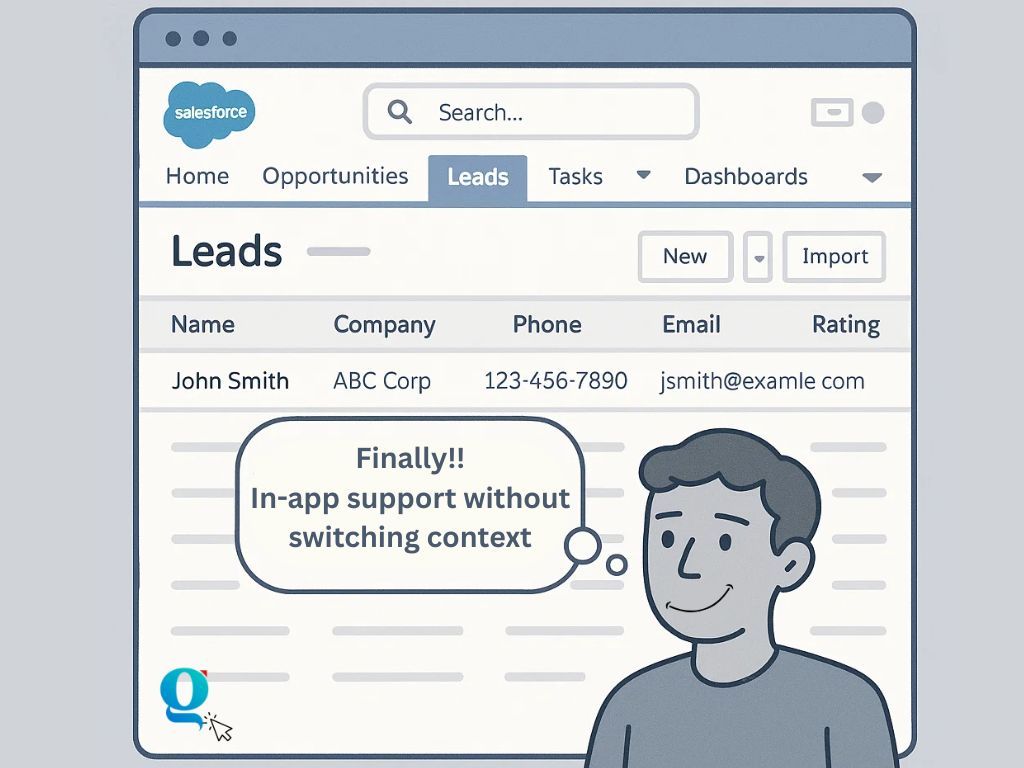
Contextual help is guidance that shows up inside the application, exactly when the user needs it. Instead of sending people to another tab or a long help article, it brings the right instructions straight to the screen they’re on.
This can look like tooltips, prompts, message boxes, short how-to articles, walkthroughs, or even a small chat-like assistant that knows what page the user is on.
It’s designed for task-level moments like updating a lead in CRM, finding campaign settings, logging a call, or generating a report.
Users don’t have to stop, search, or interpret. They just follow the guidance and move on. That single shift reduces friction, improves accuracy, and helps users adopt new software faster.
Most of these contextual help features like tooltips, walkthroughs, how-to articles, etc. are available within digital adoption platforms (DAPs).
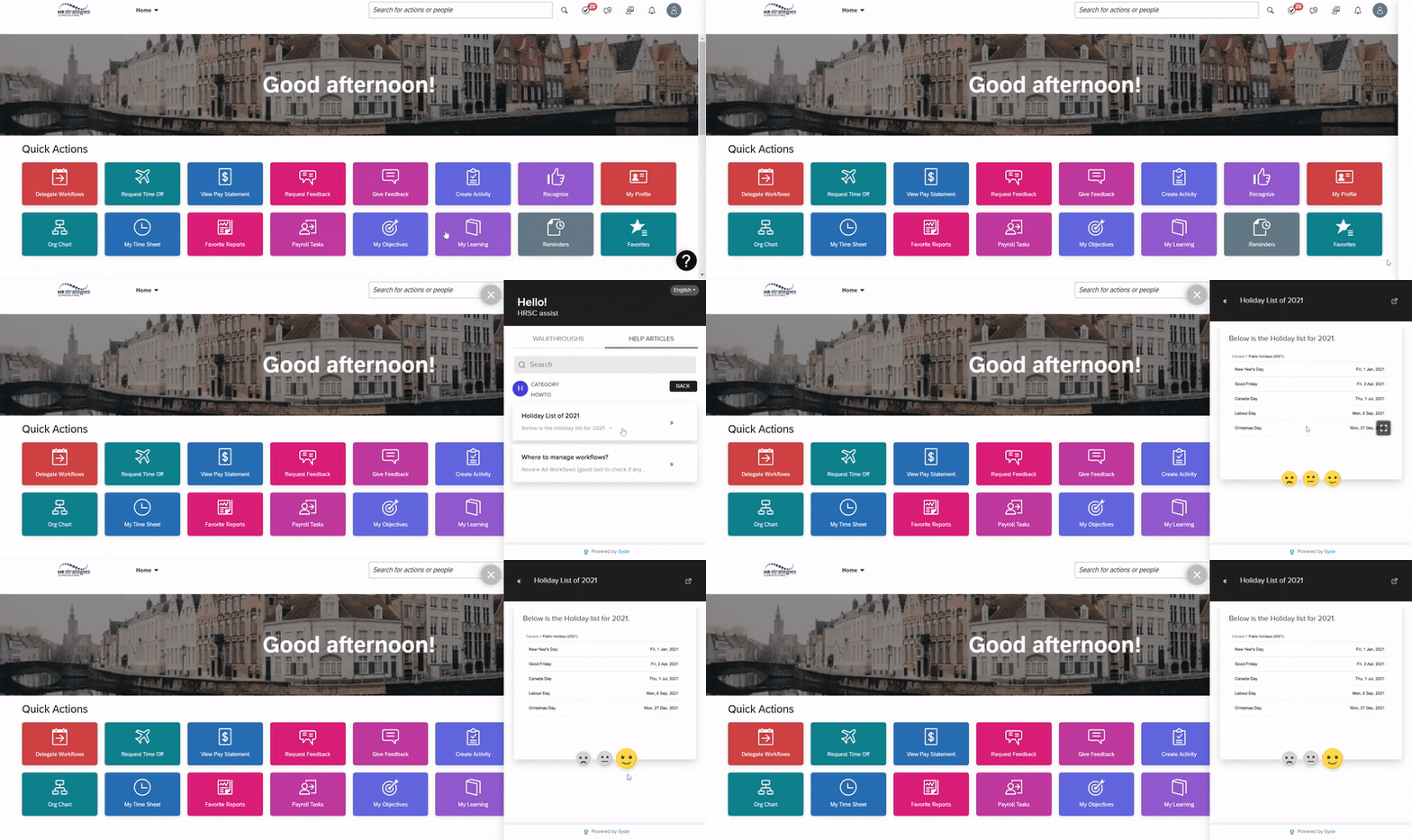
L&D and training teams can capture any application workflow in minutes, and DAPs like Gyde automatically turns it into a step-by-step walkthrough with ready-made titles, descriptions, and even voiceover added from the text. It’s fast, consistent, and eliminates the usual back-and-forth of typical documentation.
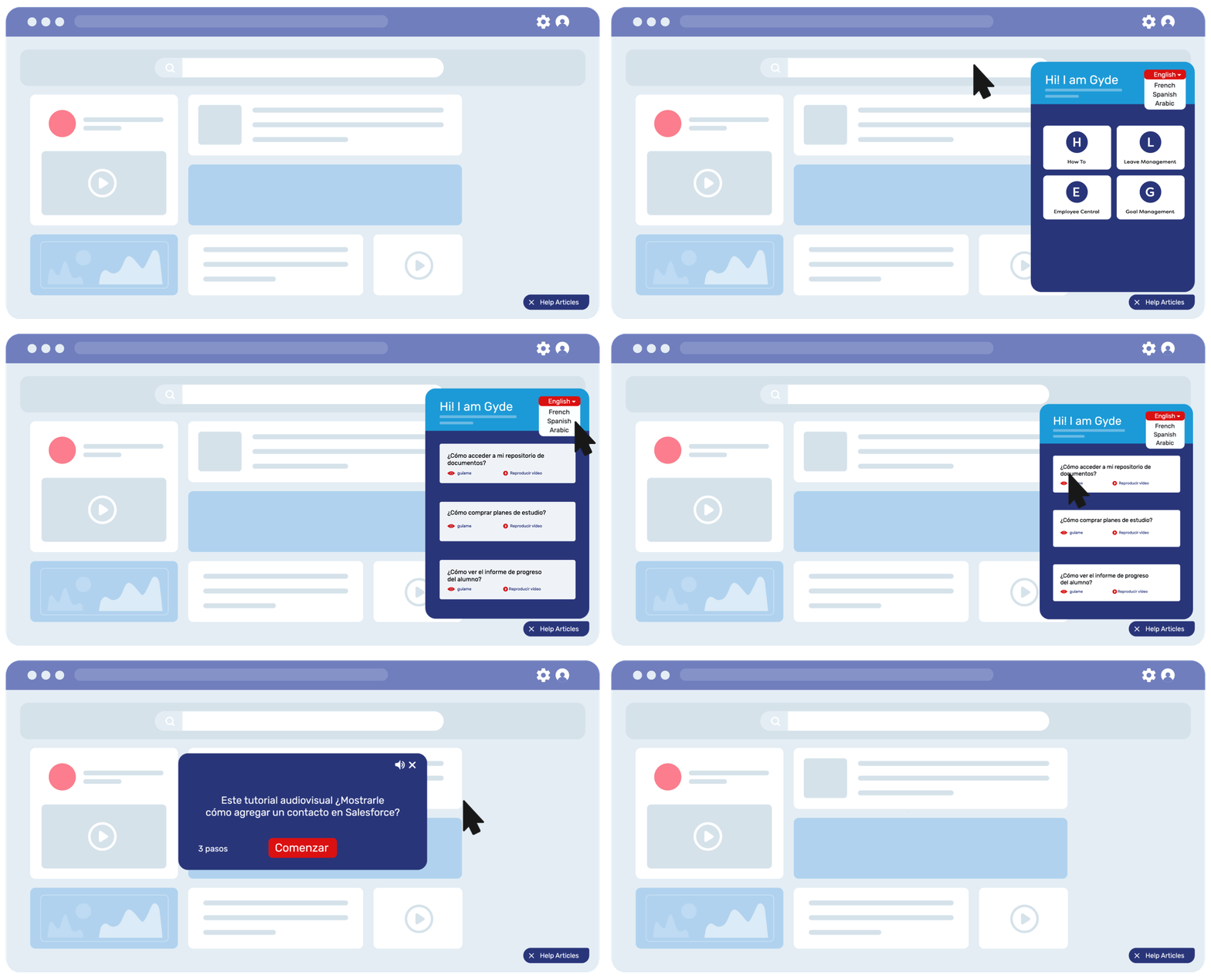
When users click Gyde’s in-app help icon, they get guidance for all their key workflows in three formats:
- An audio-visual walkthrough you can follow on the screen
- A screenshot-based guide that easy to read and look through
- A bite-sized video version that's timestamped
- A short how-to article for non-process-related knowledge
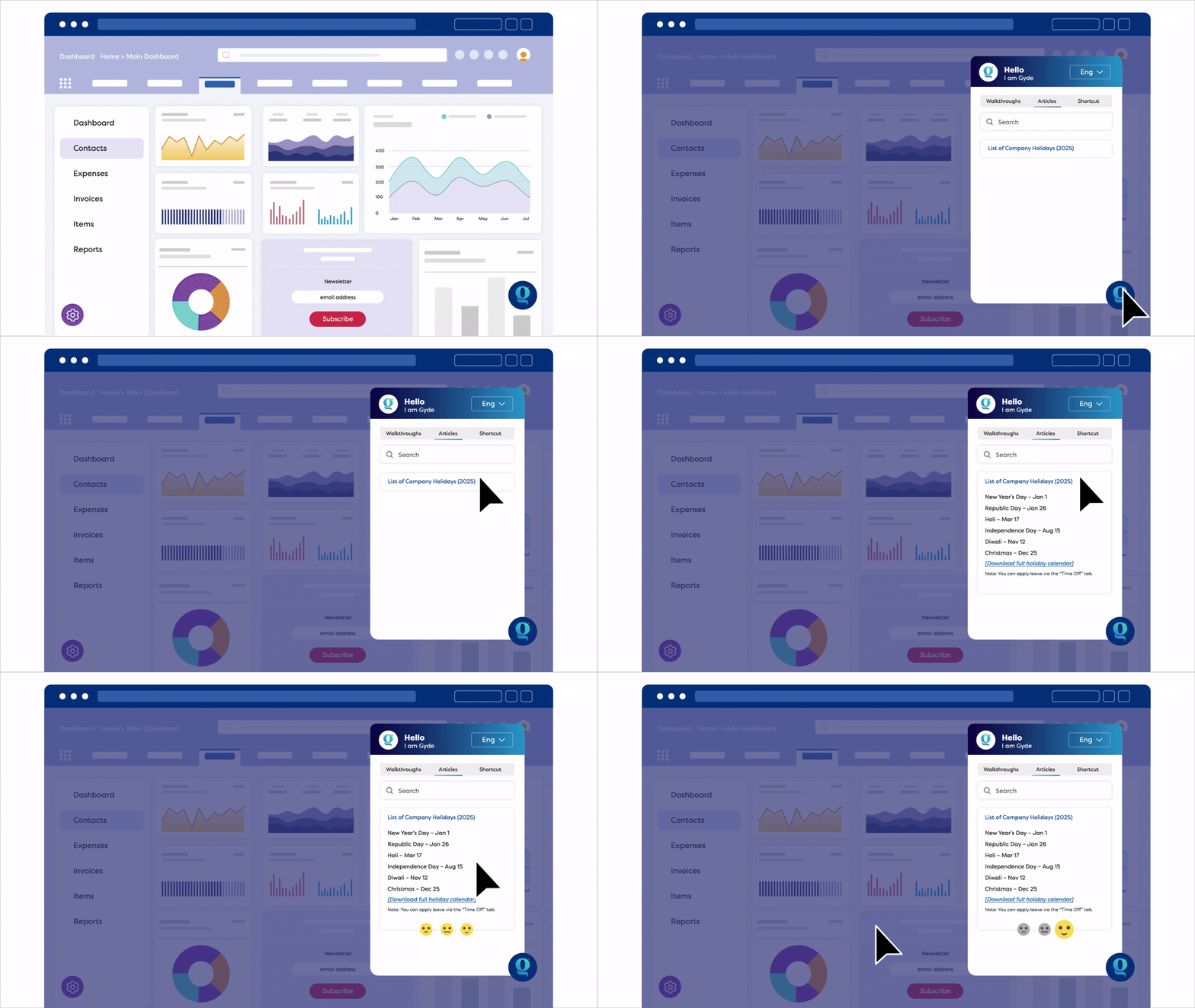
Each format supports a different type of learner and helps employees stay in flow without switching screens or losing context.
With contextual help like Gyde, support becomes something users can access instantly while they work, and L&D teams get time back to focus on higher-value training initiatives instead of building documents from scratch.
Why Contextual Help Matters for Your Users
Contextual help is like an invisible layer upon your software applications, guiding end-users when they need it most. It feels natural and non-intrusive.
Here are few big reasons on why it matters:
- First, it prevents interruptions. When users don’t have to switch tabs or dig through lengthy documents, they stay focused and move faster. Less friction means better productivity and fewer support tickets landing in your team's inbox. In short, contextual help is convenient.
- Second, it shortens the learning curve. For new users, contextual help acts like scaffolding. It builds confidence and helps them become power users sooner. In fact, when onboarding is backed by real-time, in-app guidance, users are far more likely to stick around and become digitally dextrous.
- Third, it boosts self-sufficiency. When users can troubleshoot on their own, they feel in control. This drives both software adoption and satisfaction. It’s no surprise that users who get the right help at the right time tend to become long-term advocates.
In times when attention spans are shrinking and expectations to be productive are high, contextual help becomes a part of your software interface—without the weight of extra effort, screen clutter, or separate help documentation.
Quick Comparison: Knowledge Base vs. Contextual Help
| Features | Contextual Help | Knowledge Base |
|---|---|---|
| Speed | Instant: Help appears in the flow of work | Slower: Users must search and navigate |
| Access | App-initiated, auto-triggered | User-initiated (search + click) |
| Content Type | Walkthroughs, callouts, nudges, in-app prompts | Static articles, long-form content |
| Personalization | Role-based, action-specific | One-size-fits-all |
| Analytics | Tracks task completion, drop-offs, engagement | Tracks article views only |
How to Offer Contextual Help to Users
When employees use a new company tool, they don’t expect to know everything. What they do expect is that the training and onboarding won’t let them feel lost.
That’s the job of contextual help. To be an invisible support layer that understands the user’s situation and gently nudges them forward.
The following approaches show how teams build this layer inside modern applications.
1/ Embedded Icon
You can add a small help icon inside the enterprise application. When users click it, they get access to walkthroughs, help articles, and FAQs in one place. This means they don’t have to leave the screen or search elsewhere for answers.
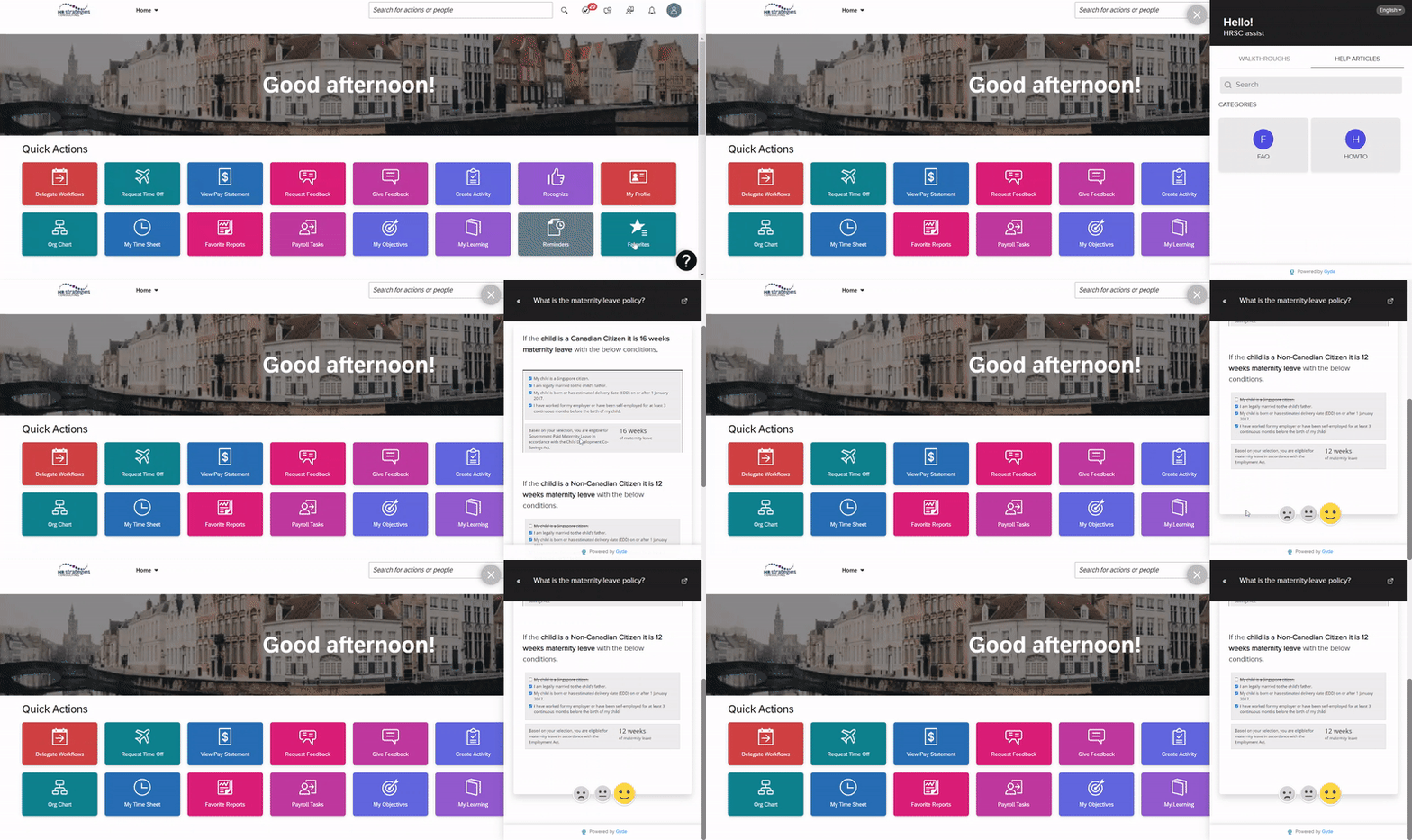
You can also set it up like a chat window that replies to common questions or connects to a support agent.
2/ Audio-Visual Walkthroughs
Walkthroughs help users complete application tasks step by step. When the walkthrough step content is standardized, users enter clean data within systems and avoid data errors.
With visual prompts and audio guidance, they can easily move from step 1 to step 20 without second-guessing what to do next.
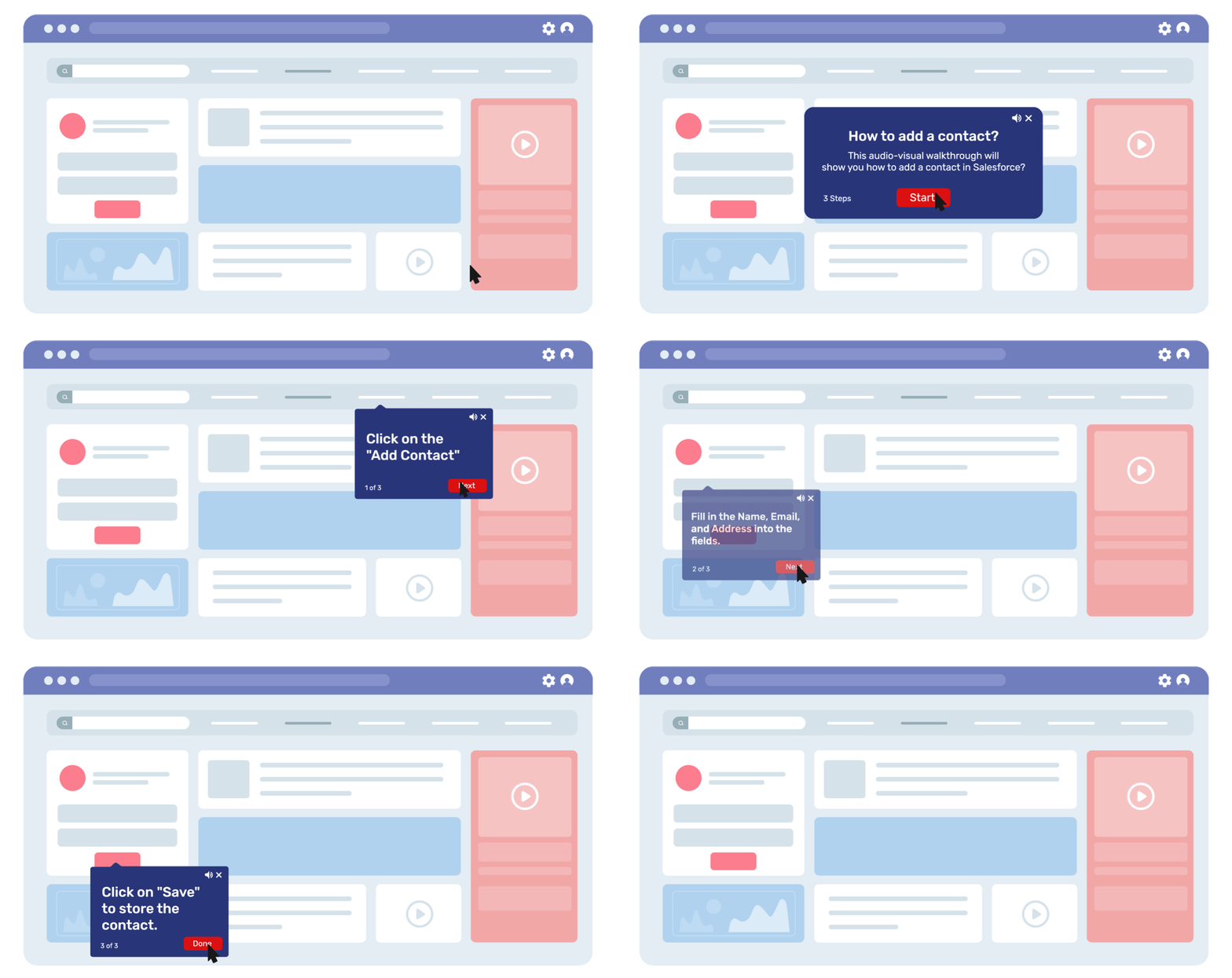
And with a DAP like Gyde, you can even make walkthroughs conditional. They change dynamically based on what the user does, offering a more decision-based path instead of a one-size-fits-all flow.
3/ Contextual Help Articles
Contextual help articles are useful when users need quick, on-the-spot knowledge that isn’t necessarily step-by-step.
For example, imagine a new employee viewing the Opportunity page inside a CRM but not fully understanding what it means. Instead of searching through long documents, they can open a short help article right there and get clarity instantly.
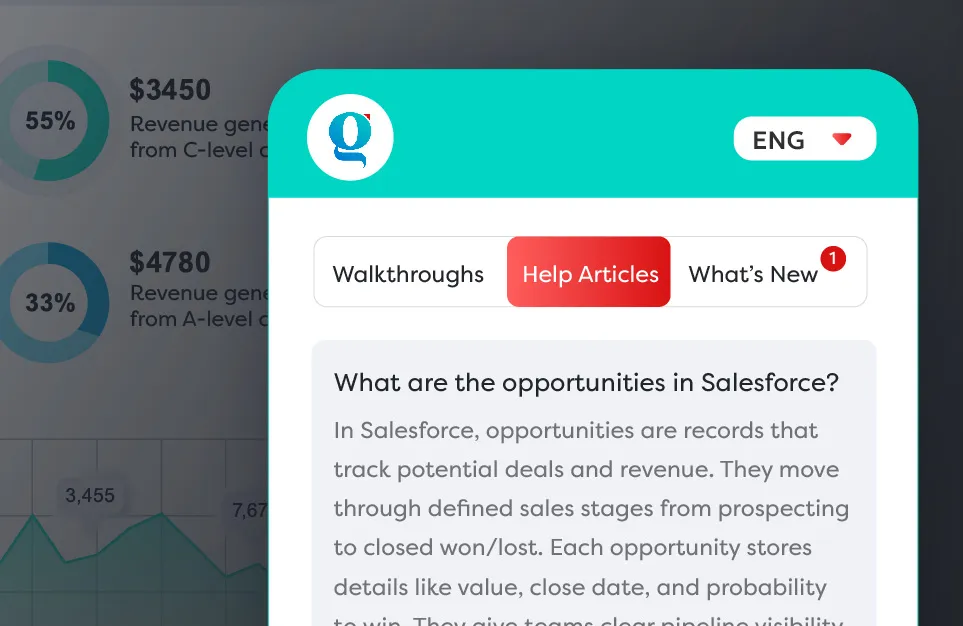
This format also works well for non-process information (policies, field definitions, data rules, deadlines, naming conventions) basically anything that builds context and supports users while they work.
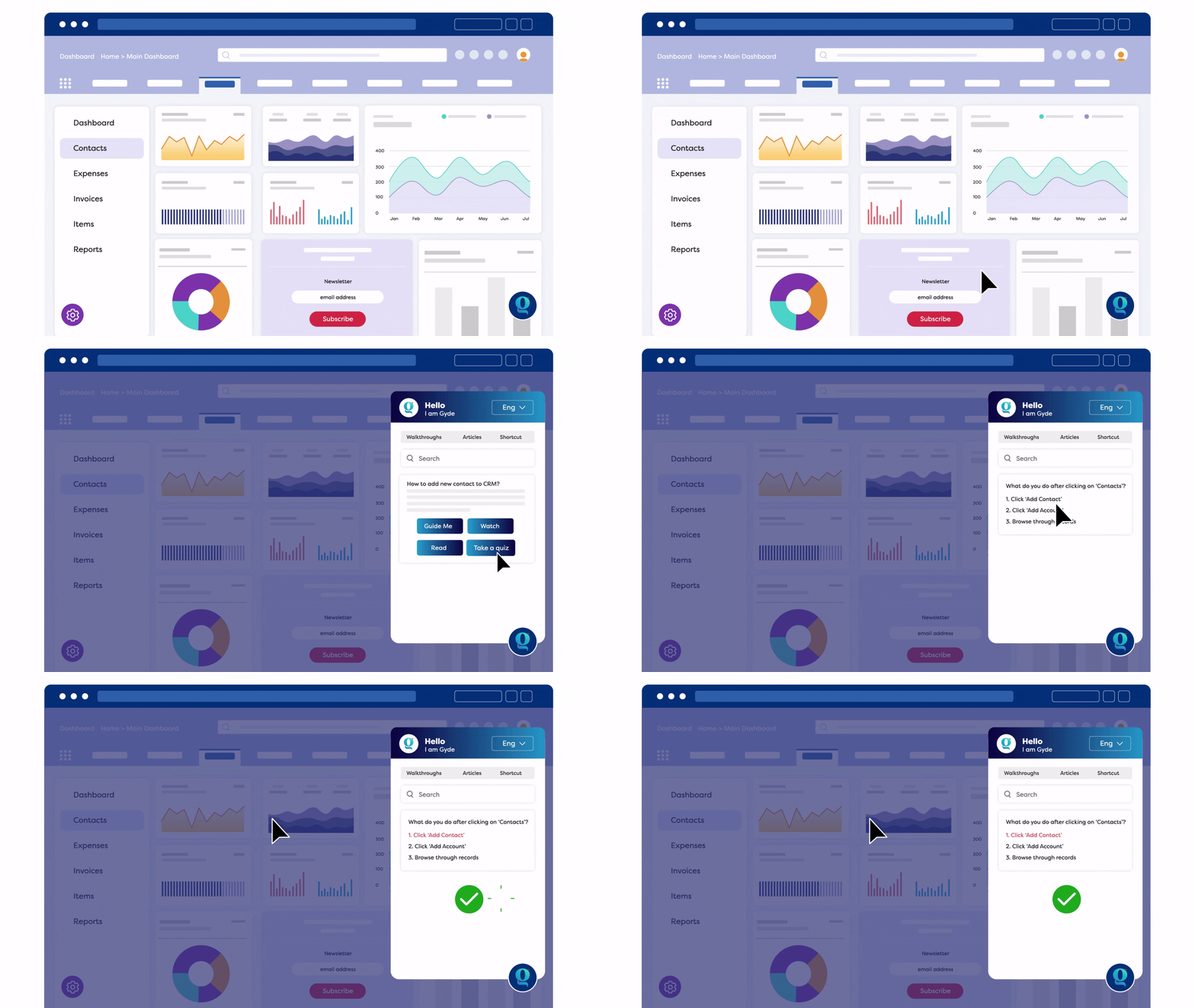
4/ In-app Assessments
After a user completes a walkthrough or task with guidance, a quick assessment can reinforce what they learned. Think short questions, scenario prompts, or a mini quiz appearing inside the application.
For example, once a user finishes creating an Opportunity in a CRM, it triggers a question like “Which field must be filled before saving an Opportunity?” This helps them recall the step. In-app assessments strengthen retention and act as a quick learning nudge in the flow of work.
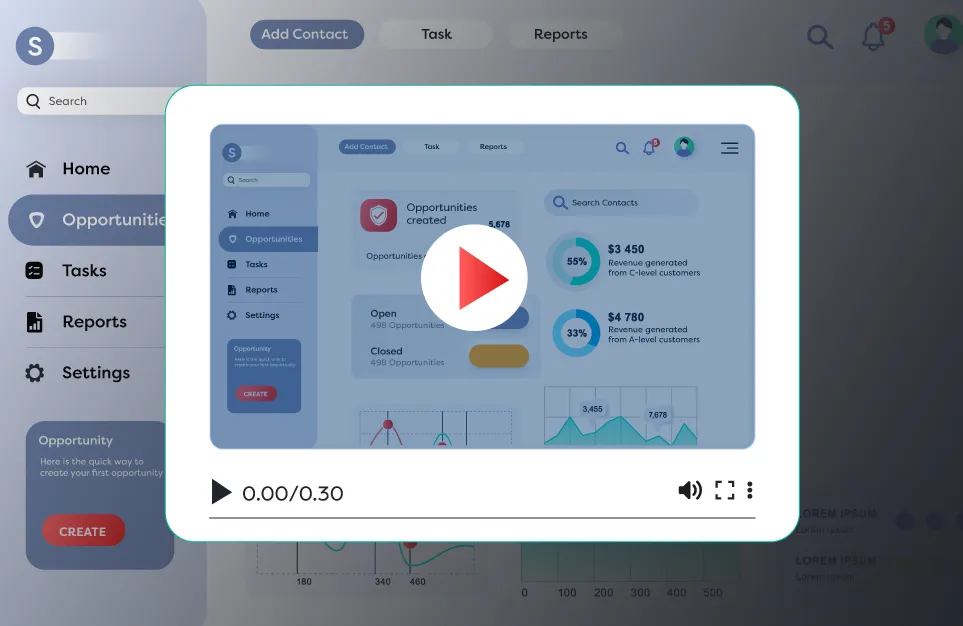
5/ Bite-sized, In-app Videos
Some actions are easier to understand when shown instead of explained. A short 20–30 second video placed on the same screen where the task happens can clear confusion quickly.
Because it’s short and context-based, the user sees exactly what they need without sitting through a long tutorial. They can pause, replay, or jump to the exact second they want, making it perfect for visual learners who prefer quick, in-app support.
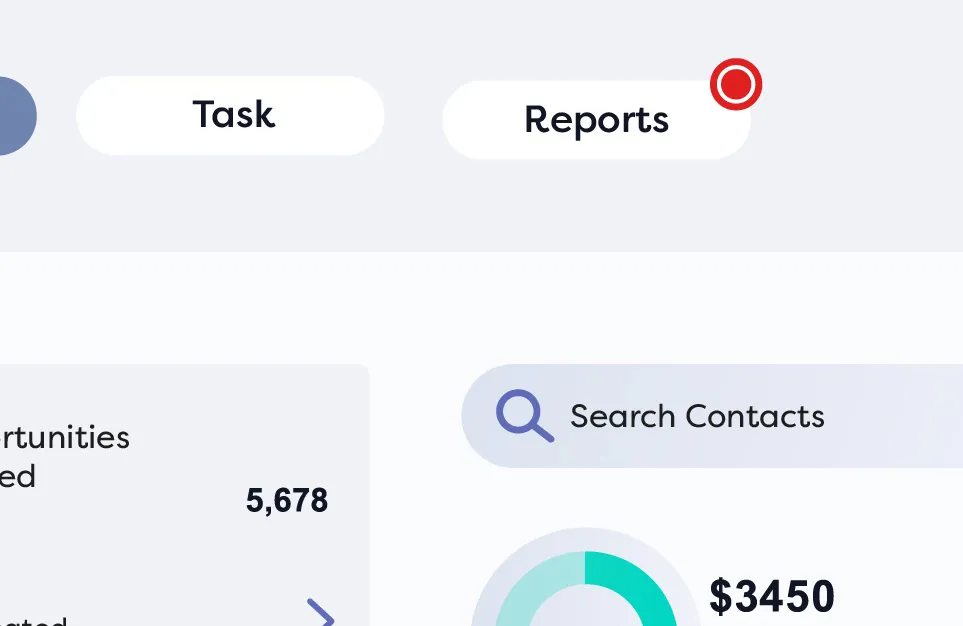
6/ Beams
The simplest form of contextual help is that gentle visual cue on the screen (a highlight or a beam of light) that pulls the user’s eye at the right element on screen.
In this way, new features or updates in enterprise applications get discovered naturally, without employees digging through documentation or waiting for announcements.
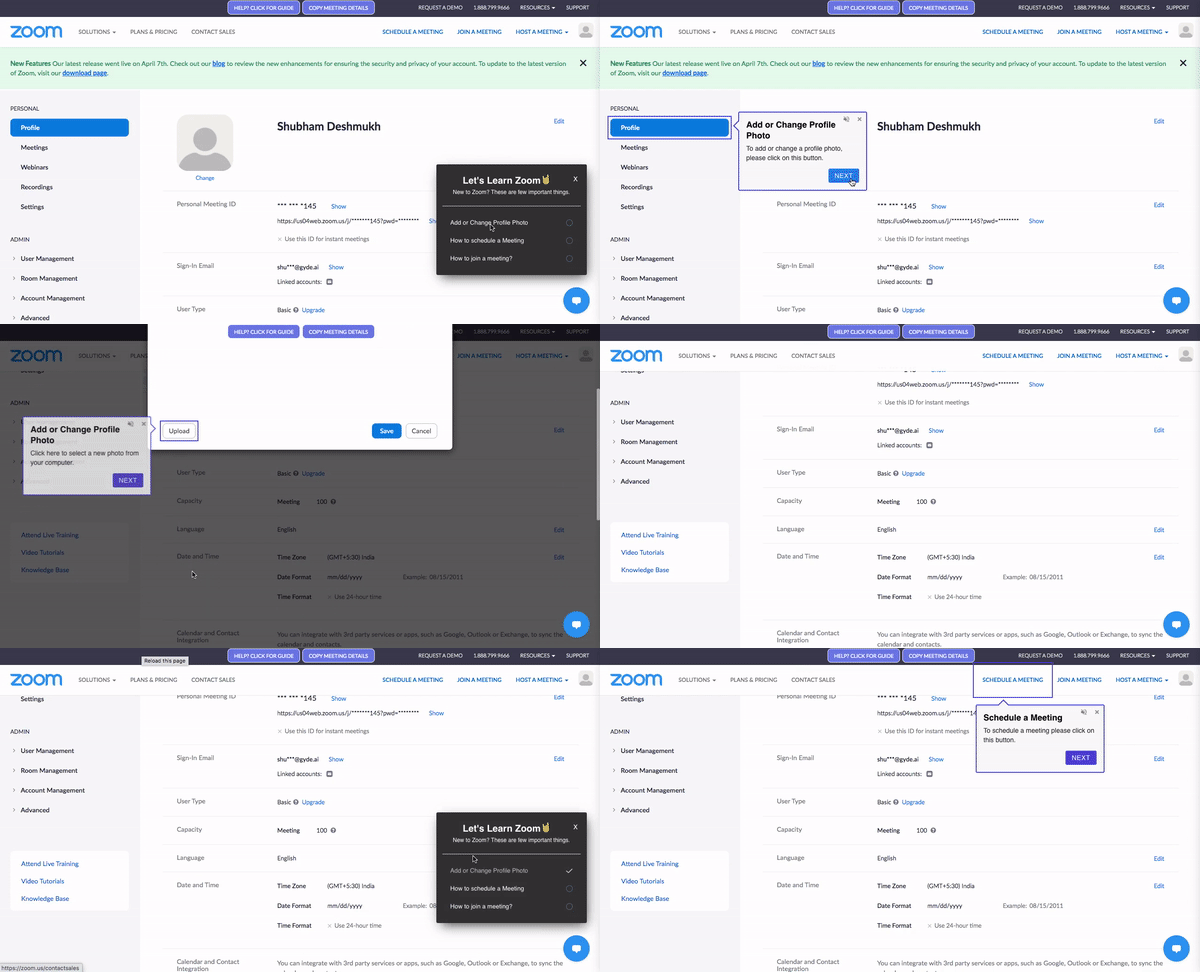
7/ Checklists
One way to provide contextual help is by creating checklist-style tasks directly within the application. New hires see what needs to be done right where they’re working, without needing separate onboarding documents.
Checklists also bring structure and clarity. When everything is laid out visually, tasks within applications feel easier to start and even easier to finish.
8/ Multi-language Support
If guidance appears in the language users already think in, comprehension becomes almost instant. This applies to everything — callouts, message boxes, walkthroughs, how-to articles & videos.
Tools like Gyde make this seamless by translating the same help into multiple languages without creating new versions from scratch which acts as a big advantage for companies with distributed teams.
Proactive AI Agents: Automating Repetitive Tasks in the Flow of Work
Once you’ve delivered contextual help, the natural progression from here is shifting from guidance to proactive automation.
This is where AI agents take over.
If you look at the AI landscape today (like in the graphic below), most tools fall into two use case buckets: horizontal (i.e. across the enterprise) and vertical (i.e. designed for specific functions like sales, procurement, or support).
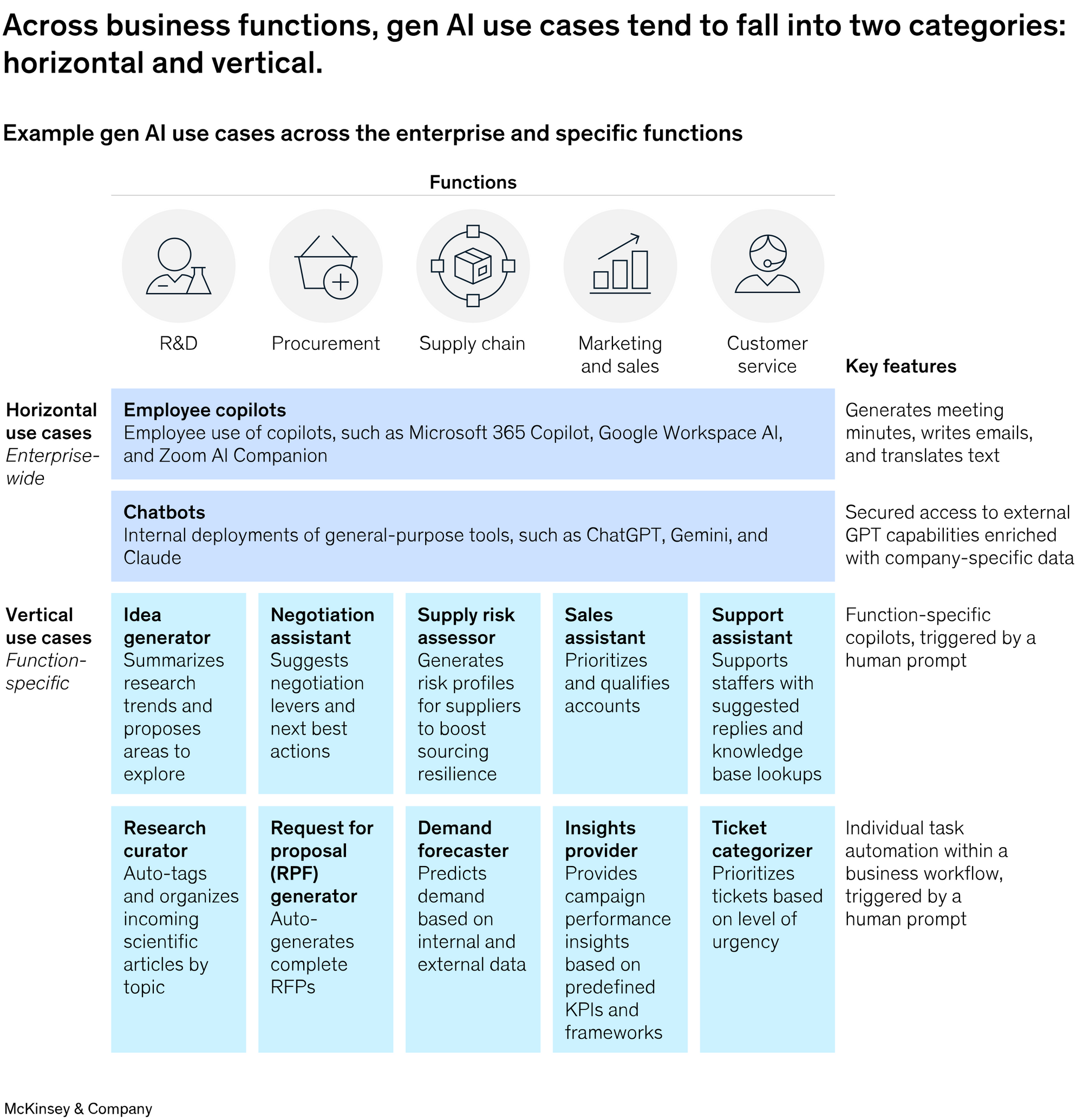
Instead of waiting for the user to read a tooltip, open a guide, or type a question, modern AI assistants help with research, summarisation, form filling, ticket categorization, and more. Now imagine bringing that intelligence directly inside the application, where tasks actually happen.
Some examples of what AI agents can do in the flow of work:
- Pre-fill a complex expense form with the right project code, approver, and receipt data the moment the user opens it.
- Pull the exact customer record, order history, and open tickets as soon as a support rep clicks into a new case.
- Surface and auto-apply the correct shipping address, payment method, or compliance rule when a user starts an invoice.
- Complete multi-step but predictable workflows (like onboarding a new vendor or resetting a password with MFA) with one click or even zero clicks.
The magic is in the subtlety: the user never has to pause, switch context, or hunt for the next step. The boring, error-prone micro-tasks simply… happen.
With Gyde, enterprises can also operationalise AI transformation and bring “intelligence in the flow of work" apart from "learning in the flow of work". We help them design, deploy, and scale intelligent agents that automate work across different departments and tools.
What to Use When: Knowledge Base vs. Contextual Help
It’s never an either-or decision. You don’t need to throw out your knowledge base, instead, just be clear on when it shouldn’t be your users’ first stop.
Use Your Knowledge Base When Users Are Outside the Software
A knowledge base works best when people have the time and space to explore information on their own. It’s the right choice when:
- You’re sharing long-form resources like policies, SOPs, or detailed documentation.
- You need a central space for external FAQs that customers, partners, or vendors can access anytime.
- You’re offering deep product explanations that go beyond what’s visible on a single screen (strategy, architecture, or configuration guides).
Use Contextual Help When Users Are Inside the Application
Contextual help belongs right inside the UI, in the exact moment a user needs support. Use it when:
- You’re onboarding new users who need step-by-step support inside the product.
- You see repeated mistakes, hesitation, or drop-offs in specific workflows.
- You want to introduce new or underused features without disrupting the user’s momentum.
- You need to give just-in-time nudges, clarifications, or micro-tips on the screen where confusion occurs.
- You want to deliver role-specific help (e.g., sales vs. finance) based on what the user is doing in the app.
- You want to reduce support dependency by helping users solve problems instantly on their own.
Think of it this way:
Your knowledge base is like the library. Great for self-exploring and researching. Contextual help is like the librarian who guides the user straight to the right shelf, exactly when they need it.
How Gyde Makes Contextual Help Feel Like Natural for Users and Teams
With Gyde - AI Digital Adoption Platform inside their apps employees can just tap the Gyde widget and choose:
- Guide Me → live step-by-step walkthroughs with voiceover
- Watch → 20–30 sec video
- Read → clean article that slides in
- Assist Me → jumps straight into guidance from wherever they are
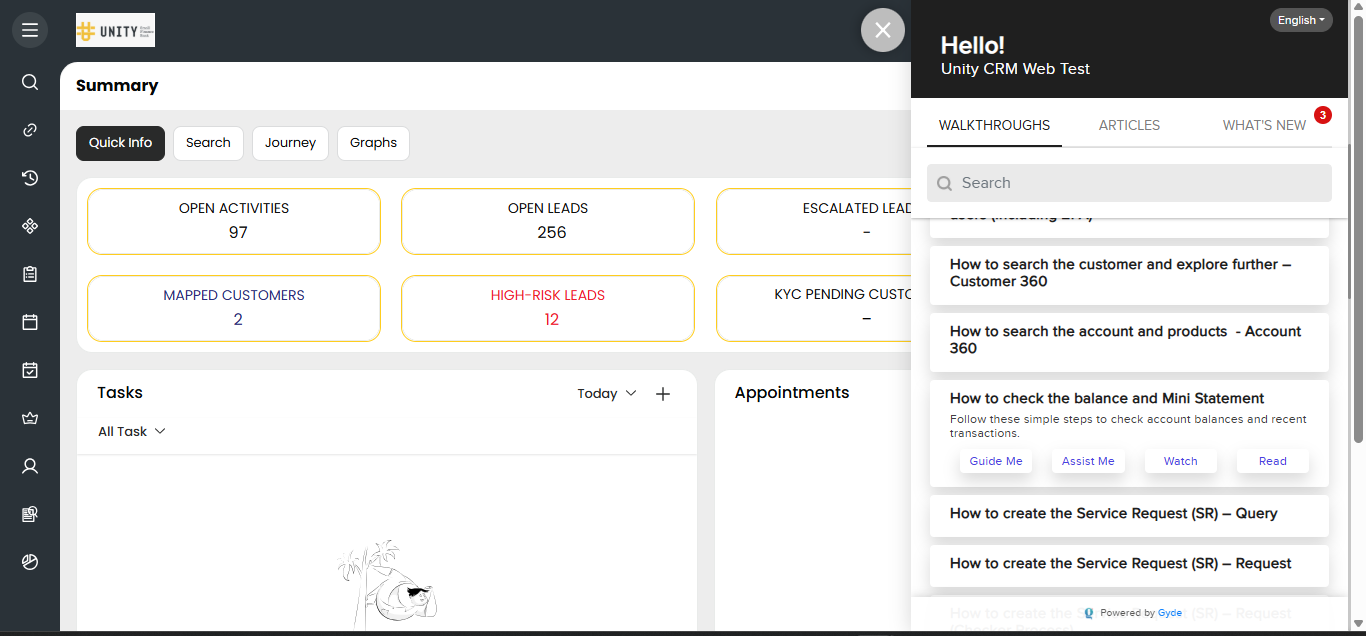
As a case study, look at Unity Small Finance Bank, who cut their CRM onboarding by 57% across 300+ branches. Their agents now get instant help with Gyde in the format they prefer, without ever leaving the screen they’re working on.
For L&D and IT teams, its zero coding & zero maintenance headaches. Record once and Gyde’s AI captures every click, writes the steps, adds voiceover, and keeps everything up-to-date.
Smart analytics that tell you exactly where people get stuck. You see drop-offs, replays, and confusion points in real time and fix them before they become tickets queries.
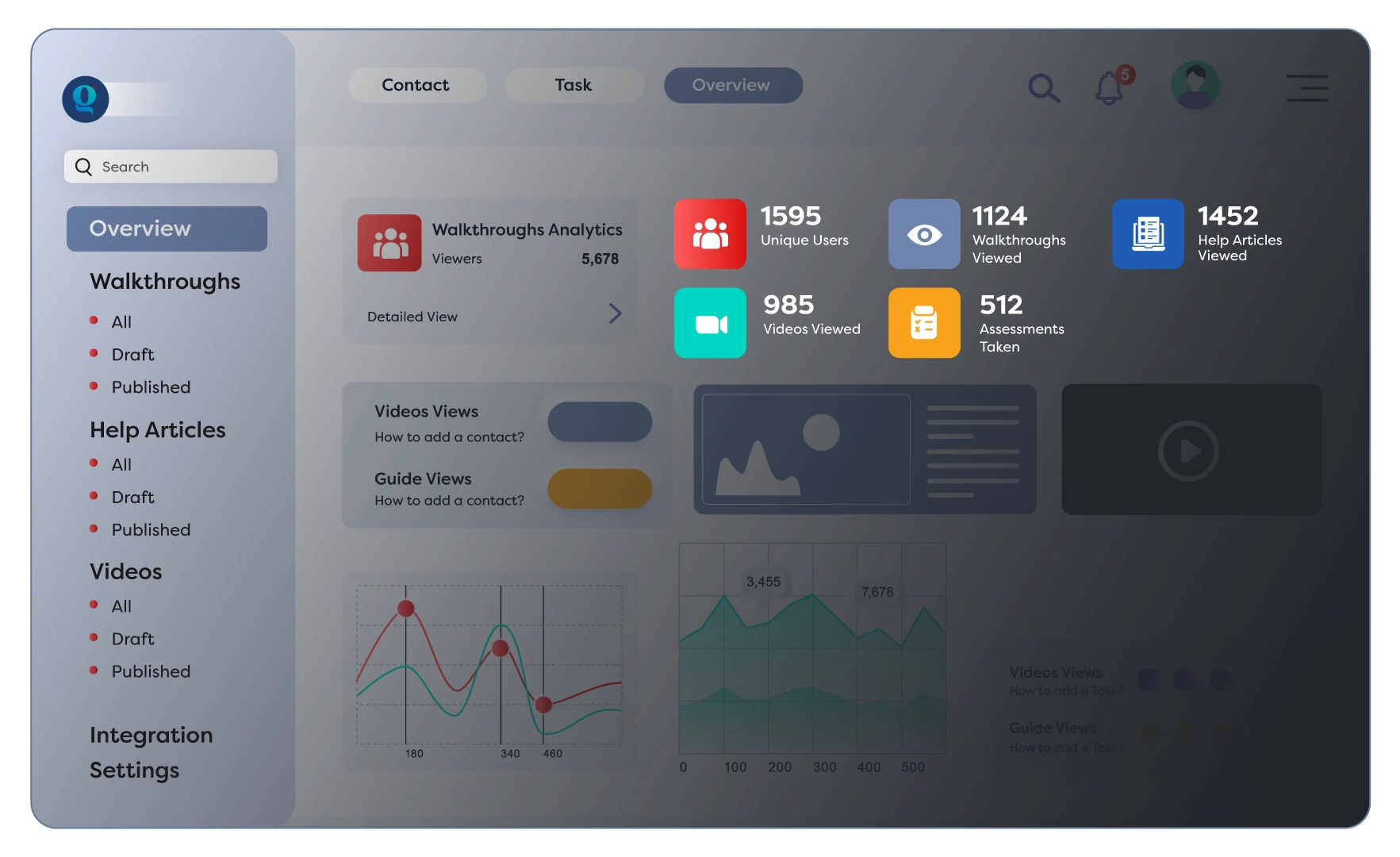
For L&D leaders/training managers, change management professionals responsible for software adoption or IT/CRM Admins overseeing end-user support can use Gyde to help end-users to be productive within the software application and boost software adoption rapidly.
Before you go, consider this:
Which solution do you think will move the needle most for your users (contextual help, a knowledge base, or a mix of both) in 2026?
FAQs
Q. Does contextual help improve learning retention?
A. Absolutely. Because it delivers guidance right when it's needed, it reinforces actions and reduces the cognitive load compared to traditional training or static documents.
Q. What types of companies benefit most from contextual help?
A. Companies using complex software like CRMs, ERPs, or internal tools, especially in highly-compliant industries like finance, insurance, and healthcare.
Q. Can I integrate both contextual help and a knowledge base?
A. Yes. Tools like Gyde let you combine the two, importing your existing knowledge base and layering contextual help on top of it.
Q. Does contextual help replace training altogether?
A. Not really. Contextual help is training. For anything that happens in the flow of work like creating records, updating data, completing workflows, learning new features, contextual help becomes the most natural form of training. It doesn’t eliminate training; it transforms it into real-time, on-screen support that helps users learn by doing.
Q. How is contextual help different from just having tooltips or guides?
A. Tooltips are static. Contextual help is dynamic, it adapts to the user's role, screen, and task. Instead of giving generic hints, it shows guidance only where it's relevant, and with DAPs or AI agents, it can even walk users through the task step-by-step.